Sending from an Alternate Email Address in Outlook for Mac
 Print
Print Email
EmailInstructions for how to send an email from a different email address you have access to within Outlook for Mac.
- Open Outlook for Mac.
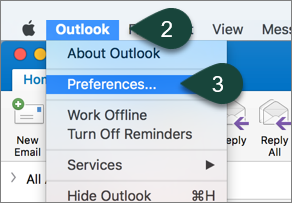
- Select Outlook from the Toolbar.
- Select Preferences.
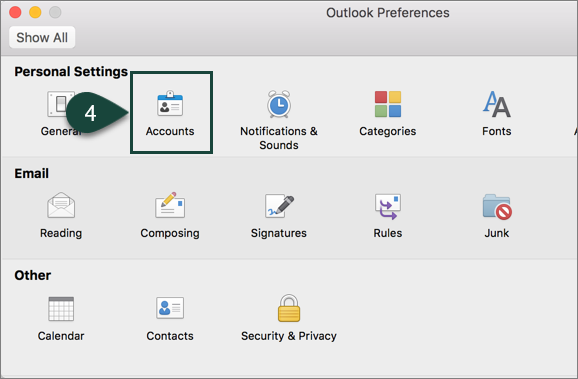
- Select Accounts.
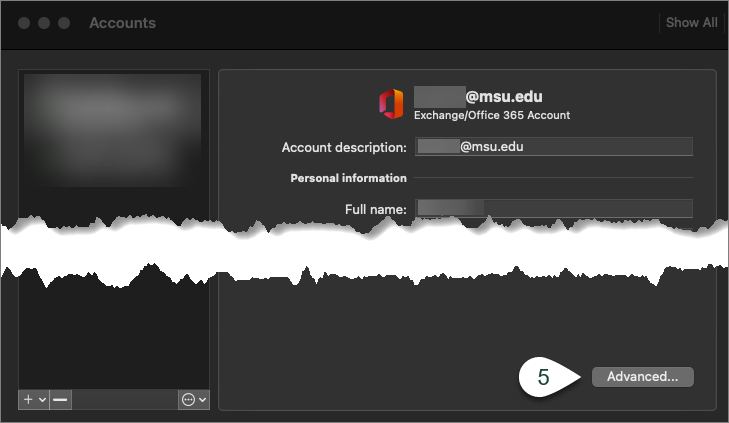
- Select Advanced.
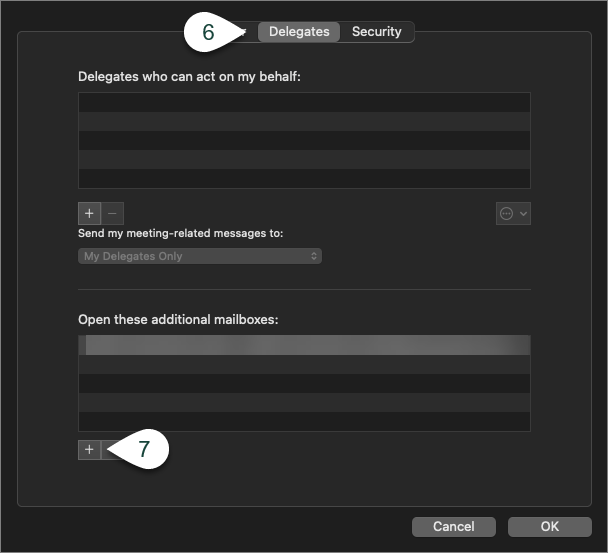
- Select Delegates.
- Select the + under the Open these additional mailboxes section.
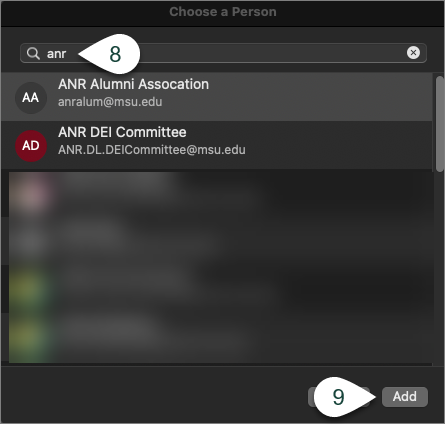
- Search for the Email Address you wish to send from.
NOTE: You will need to ensure you have access to send from that email address. - Select Add.
- Open a New Message.
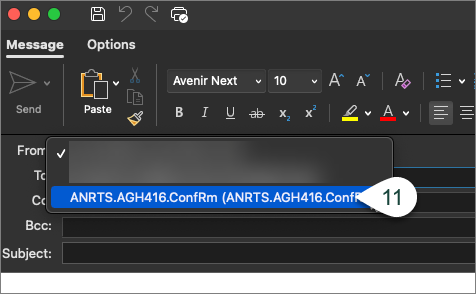
- Select the Alternate Email Address from the From Drop-Down menu.
- Continue Entering the rest of your email.