


AI Background and Tips
MSU Extension Background and Tips for Using Artificial Intelligence
Artificial Intelligence is a developing technology that is increasingly integrated into many facets of our lives – work and personal – in ways we might not even recognize. As technology morphs, it is important to continually review ethical use and mitigation of bias.
This document serves as a resource to understand Artificial Intelligence (AI) and how to use it in your work at MSU Extension. The following guidelines provide a framework for integrating AI into research, writing, communications, content and image creation, evaluation, reporting, and decision-making within MSU Extension.
Compliance and Security
All MSU community members including staff, students, volunteers, and even participants in MSU Extension online courses must adhere to MSU’s acceptable use and institutional data policies.
- MSU acceptable use policy (appropriate use of data and tools; user responsibility; security).
- MSU institutional data policy (confidential data; public data; authorized release of data).
Below is information from the Technology at MSU Interim Guidance on Data Uses and Risks of Generative AI outlining how MSU suggests handling specific types of data. Additional Michigan State University guidance on data types can be found on the Artificial Intelligence Tools website.
|
Data Type |
Description |
|
Public data |
Generative AI can safely process publicly available information, general academic concepts, and non-sensitive data. Use of public data must still comply with MSU’s policies and be considered relative to its ethical and reputational implications. |
|
Confidential or private data |
Do not enter confidential data, including, but not limited to, social security numbers, contact details, name/image/likeness, and any information covered by FERPA, HIPAA, or other regulations into any generative AI product. |
|
Research data |
Researchers must consider the nature and sensitivity of scholarly data before using generative AI to support research. Do not put data that is confidential, contains sensitive information, or is subject to specific legal or ethical requirements (e.g., human subjects’ data) into any generative AI without proper anonymization and evaluation of potential risks, as well as express written consent from any other necessary parties. |
|
Intellectual property |
As questions around intellectual property and the use of generative AI are unresolved, the MSU community must avoid inputting proprietary or confidential information into generative AI, including unpublished research findings, internal university data or documents, or any information protected by intellectual property rights without express written consent from all stakeholders. |
AI Tools
The guidance offered through this document focuses on AI software that is approved and/or supported by MSU IT Services. Please note that the list of approved software will change over time as new tools become available and are added to the list. If you are considering using an AI tool to support your MSU Extension work it is recommended that you use your MSU login for work related activities and create separate AI accounts for any personal use.
To view the most up-to-date information on MSU IT Services approved and/or support software visit the Tools at MSU’s Artificial Intelligence Resources page.
This website serves as a resource to ensure Artificial Intelligence (AI) use while maintaining accuracy, transparency, and data compliance with MSU policies and best practices. This document will be updated as additional AI resources and guidance are learned.
For the purposes of this document, AI output is defined as anything that an AI tool generates. This may include response to a prompt or request, the result of an automation, or a specific edit made using an AI tool.
Overview of Expectations when Using Artificial Intelligence:
- Be familiar with MSU’s Interim Guidance on Data Uses and Risks of Generative AI including understanding MSU’s acceptable use and institutional data
- The employee is responsible for and can be held accountable to decisions made based on AI output, AI information used and/or presented in their work, employment application materials, or similar.
- Ensure data privacy and security
- Do NOT import or share with AI any sensitive, confidential, or personally identifiable information such as personal details, participant info (e.g. name, contact information), or proprietary research. If you want to use AI to analyze data sets, personally identifiable information must be removed before importing.
- Generative AI can safely process publicly available and non-sensitive data.
- If planning to use AI for data analysis on projects involving research with human subjects, include the planned use in your IRB application.
- As a professional courtesy, the use of AI note taking or transcription apps during meetings should be disclosed. Be aware that all AI output of this nature is subject to the Freedom of Information Act (FOIA).
- Proofread and verify all output. If you are unable to check the accuracy of the output, it is not recommended that you use AI.
- All meeting notes, output, transcripts generated by AI must be reviewed for accuracy prior to any distribution.
- Research key points to ensure accuracy – check names, title, quotations, numbers, statistics, events, etc.
- Utilize evidence or research-based sites, sources, or tools, and subject matter experts to verify information.
- Be aware that bias exists in AI generated content, consider how it could be showing up in the AI output you generate. Anything that reads as a statement of fact, especially as related to groups of people, should be reviewed and evaluated for bias.
- If an AI tool consistently generates biased outputs, do not use the output, and use the AI tool with caution.
- You should understand the software you are using and adjust settings as needed. AI tools may automate processes, like sending meeting notes to all attendees, you may want to turn off automatic sending of meeting notes to ensure appropriate disclosure and confirm accuracy before dissemination.
- Cite AI when what was produced was significantly derived from AI. Use the style guide of your publisher for citations and observe any publication policies related to AI.
- Certain AI tools only cause minor changes to an output or can be replicated by a non-generative AI tool. An example would be an image background remover in a tool such as Adobe Photoshop or Canva. In these cases, it is not necessary to publicly note when AI was used, however you may want to include AI in your output file name for future reference.
- Consult with Institute leadership before creating any MSU Extension large language model, machine learning algorithm, neural network, CustomGPT, AI agent, or other artificial intelligence model utilizing MSU Extension data. General AI bots or tools should not be developed for external or outward facing use by the community.
MSU Extension Background and Tips for Using Artificial Intelligence
Artificial Intelligence is a developing technology that is increasingly integrated into many facets of our lives – work and personal – in ways we might not even recognize. As technology morphs, it is important to continually review ethical use and mitigation of bias.
This document serves as a resource to understand Artificial Intelligence (AI) and how to use it in your work at MSU Extension. The following guidelines provide a framework for integrating AI into research, writing, communications, content and image creation, evaluation, reporting, and decision-making within MSU Extension.
Compliance and Security
All MSU community members including staff, students, volunteers, and even participants in MSU Extension online courses must adhere to MSU’s acceptable use and institutional data policies.
- MSU acceptable use policy (appropriate use of data and tools; user responsibility; security).
- MSU institutional data policy (confidential data; public data; authorized release of data).
Below is a chart from the MSU Center for Innovation and Learning, Interim Guidance on Generative Artificial Intelligence (AI) for Research and Creative Activities outlining how MSU suggests handling specific types of data.
Data Type |
Description |
|
Public data |
Generative AI can safely process publicly available information, general academic concepts, and non-sensitive data. Use of public data must still comply with MSU’s policies and be considered relative to its ethical and reputational implications. |
|
Confidential or private data |
Do not enter confidential data, including, but not limited to, social security numbers, contact details, name/image/likeness, and any information covered by FERPA, HIPAA, or other regulations into any generative AI product. |
|
Research data |
Researchers must consider the nature and sensitivity of scholarly data before using generative AI to support research. Do not put data that is confidential, contains sensitive information, or is subject to specific legal or ethical requirements (e.g., human subjects’ data) into any generative AI without proper anonymization and evaluation of potential risks, as well as express written consent from any other necessary parties. |
|
Intellectual property |
As questions around intellectual property and the use of generative AI are unresolved, the MSU community must avoid inputting proprietary or confidential information into generative AI, including unpublished research findings, internal university data or documents, or any information protected by intellectual property rights without express written consent from all stakeholders. |
MSU Approved Software
When purchasing software, or even downloading free software, it constitutes a binding contract to the university. MSU IT Services has developed an approved software list including the three tiers listed below.
- Tier 1: Software can be purchased, if it does not use, process, or store confidential information. The Tier 1 status includes a list of a pre-approved software.
- Tier 2 and Tier 3: Software can be purchased if user type and use case are met. Readiness form is required prior to purchase in all cases.
When purchasing software or downloading free software not listed under Tier 1pre-approved software an IT Readiness form must be completed prior to purchase/download.
Here are a couple of examples:
Example #1: A staff member has approval from their supervisor to purchase the paid version of Canva. The staff member visits the approved software list and sees that Canva is listed as Tier 1 software. The purchase can be made with a PCard and when reconciling the charge in EBS, a note would be added that Canva is a Tier 1 software.
Example #2: A staff member has approval from their supervisor to download the free version of Suno AI for AI generated music. The staff member visits the MSU IT approved software list and finds that Suno AI is not on the approved list. They complete an IT Readiness form and as the form is completed, the results will let the staff member know if they can download the software with no further action.
AI Tools
The guidance offered through this document focuses on AI software that is approved at the Tier 1 level and/or supported by MSU IT Services. Please note that the list of approved software will change over time and efforts will be made to keep this guidance updated. For the most up-to-date information visit the Technology at MSU’s Artificial Intelligence Resources page.
ChatGPT
ChatGPT is a chatbot, created by OpenAI, which allows users to ask questions or prompts for support. It offers a free version to all users. ChatGPT Plus is available for purchase through the MSU Tech Store for MSU faculty and staff. The plus account includes extended limits on messaging and file uploads, access to multiple reasoning models, creation of custom GPTs, and limited access to video generation.
Note: The paid version of ChatGPT should be purchased from the MSU Tech Store due to an enterprise licensing agreement that offers better terms and conditions as well as data protections for MSU users.
- Security: Once data is entered into ChatGPT it cannot be removed. Follow MSU’s guidance on data use from the Interim Guidance on Data Uses and Risks of Generative AI.
- Access: Go to https://tech.msu.edu/ai/. MSU does recommend using an account created with an MSU email address for professional work. Personal chats should be done using a personal ChatGPT account.
- Help: ChatGPT FAQ for Educators
Copilot
Copilot is a generative AI tool available to MSU staff through MSU’s enterprise agreement with Microsoft to assist with productivity and workflow. Through its AI-powered assistant, this tool can assist with communication, content creation, and automation of tasks.
- Security: The MSU enterprise version of Copilot offers security and data privacy features. When a user is logged in with their MSU NetID and password (to the chat or through Edge) data entered is not used to train the model. Even so, Copilot is NOT cleared by MS IT to handle HIPAA or Controlled Unclassified Information. Permissible information includes Institutional data and any non-personal or non-protected data.
- Access: Staff may access Copilot in several ways including –
- Web: https://copilot.microsoft.com
- Edge: Sign in with an MSU NetID within the Edge browser
- Spartan 365: Sign in to Microsoft 365 https://www.microsoft365.com/.
- Help: https://learn.microsoft.com/en-us/copilot/microsoft-copilot
Canva
Canva is a design platform where users can create graphics, videos, images, and more from a variety of templates. This tool includes a free version and paid version which gives greater access to premium stock content, the ability to upload your own images, unlimited storage, and high-resolution exports. Canva is a Tier 1 approved software tool.
- Access: Go to https://www.canva.com/. MSU does recommend using an account created with an MSU email address for professional work.
- Help: https://www.canva.com/help/.
Grammarly
Grammarly is a writing tool which uses AI to check grammar, spelling, punctuation, in addition to improving style and tone.
- Access: Go to https://www.grammarly.com. MSU does recommend using an account created with an MSU email address for professional work.
- Help: https://support.grammarly.com/hc/en-us.
MediaSpace
MediaSpace is a cloud-based web service that allows staff to upload and share video content. Once a video is uploaded, the video will automatically generate AI closed captions. The captions should always be reviewed for accuracy.
- Access: Go to https://mediaspace.msu.edu/ and login with your MSU NetID.
- Help: https://help.mediaspace.msu.edu/.
AI For Meeting Notes
There are many tools for automating note-taking. This can seem to be helpful, however, there are many things to consider before using an AI note-taking tool. Read through the items below from the MSU University Communications and Marketing Guidelines for Use of Generative AI:
- Often AI note-taking tools have a “user” that joins the Zoom or Teams meeting. This can make some individuals feel uncomfortable and less likely to contribute to conversations.
- If using an AI tool in a meeting, start the meeting by notifying attendees that you’d like to use the tool. Explain what the tool does and request consent from all attendees. If anyone objects, do not use the AI tool in the meeting.
- AI note-taking tools may not be accurate. All notes should be reviewed before dissemination.
- Any documentation these tools generate is subject to Freedom of Information Act (FOIA) requests.
- Do not use AI tools that generate meeting notes and summaries in meetings that cover confidential or sensitive topics.
- Do not disseminate notes or summaries without first reviewing. If the tool automatically shares notes or summaries with attendees, review these and provide clarifications or corrections as soon as possible via email to all recipients.
- Some AI meeting tools take notes and summarize meetings. Some go further, providing insights to the tool user into meeting attendees’ behavior (e.g., camera on/off) and engagement (e.g., eye contact, body language). Make people aware of the tools being used and use your best judgement on which are appropriate for your circumstances.
Additional Tips for Using AI in Meetings and Note-taking:
- If possible, use AI note-taking tools vetted and approved by MSU IT Services. This ensures better data protection and compliance with university policy.
- Understand where the AI meeting tool stores recordings or transcripts and how long they are retained. Avoid tools that store content in insecure or third-party systems without institutional oversight.
- AI note-taking tools should never be used in meetings discussing performance, hiring, disciplinary actions, sensitive personal matters, or any content where a shared understanding of confidentiality exists. Using AI in these settings may risk violating privacy and institutional policy.
- If using a tool that auto-shares notes or meeting summaries, ensure this function is turned off or monitored. Always review notes before allowing them to be accessed by others.
- Summaries generated by AI should supplement, not replace, human judgment. If using summaries, clearly note that they are AI-generated and reviewed by the meeting organizer.
- Refrain from enabling AI features that assess eye contact, sentiment, or participation, as this may raise ethical concerns.
MSU Extension Artificial Intelligence (AI) Frequently Asked Questions and Examples
What is Artificial Intelligence?
Artificial Intelligence (AI) is a technology that makes predictions by training algorithms through large language models (LLMs), small language models or other information available via the internet. It is not the same as a Google search or search function that returns links to information related to the search terms.
What is a large or small language model?
A Large Language Model (LLM) or Small Language Model (SLM) is a type of artificial intelligence (AI) designed to process and generate human-like text. It is trained on vast amounts of text data and can understand, generate, summarize, translate, and analyze language. Examples include: GPT-4, Microsoft Copilot and Google Gemini.
Am I required to use AI as a part of my job?
No, the use of AI is not required for staff to complete the requirements of their position.
When can I use AI in my position?
An employee interested in utilizing AI to supplement their work should be familiar with the MSU Extension Policy for Use of Artificial Intelligence, MSU’s Interim Guidance on Data Uses and Risks of Generative AI including understanding MSU’s acceptable use and institutional data policies. Employees must ensure data privacy and security.
AI can be used to brainstorm and generate ideas for various projects including newsletters, articles, emails, social media posts, grant applications, survey questions. AI can also be used to create draft images, graphics, generate alternative text for images, analyze publicly available and non-sensitive data and many more tasks associated with Extension work.
Employees are responsible for and can be held accountable to decisions made based on AI output, AI information used and/or presented in their work, employment application materials, or areas where AI was used.
When should I not use AI?
Some research activities should not utilize AI. Examples include the peer review process and publishing in scientific journals. Further guidance can be found at: https://research.msu.edu/generative-ai/guidance.
What are some examples of times I should verify outputs?
Always! All outputs should be reviewed and edited as necessary. If the output generated includes information that is not evidence or research based, it should be removed.
One specific example is qualitative coding of interview data when you are not familiar with the data, how to code data or using AI to singularly code qualitative data. When coding data best practices recommend using dual coders to avoid mistakes.
How do I know if my AI generated output is biased?
- Check if the AI reinforces stereotypes about race, gender, religion, or culture.
- Research key points to ensure accuracy – check names, title, quotations, number/ statistics, events, etc.
- Utilize evidence or research-based sites or tools, and subject matter experts to verify information.
- Ask the AI the same question in different ways and analyze whether it gives skewed or one-sided answers.
Can I use ChatGPT?
Yes, ChatGPT can be used by staff. MSU approved AI assistants and information can be found at: https://tech.msu.edu/ai/.
Can I use AI for translating materials into other languages?
While AI translation tools (like Google Translate or AI platforms with translation features) are improving, they should not replace MSU Extension’s established translation process. It is best practice to first submit materials through the official MSU Extension Translation Request Process. If AI is used to support translation efforts, the resulting text must always be reviewed through a peer review process to ensure cultural and linguistic accuracy. AI translations can contain errors or lack cultural nuance, so human verification is essential.
MSU Extension Guidance for Citation of Artificial Intelligence (AI)
AI: Citation & Avoiding Plagiarism
According to the U.S. Copyright Office, machines or software cannot hold a copyright; it must be the product of human creativity. Generative Artificial Intelligence (AI) currently cannot be an author.
However, you should not present Generative Artificial Intelligence writing as your own. AI should be used as a tool to support human creativity and not replace critical thinking and expertise. Additionally, tools to detect AI output exist and are evolving and to become more accurate, making detection of AI writing possible.
General Guidance: When AI Citation is Necessary
Cite AI when materials or assets were produced by or significantly derived from AI-generated outputs, exceeding prewriting, basic editing, or proofreading. The exception to this rule would be using AI for internal-use communications such as emails. Also cite when AI use is part of a study’s research methodology or analysis.
Citation Guidance: Academic Guidance
Check with the publishing policies of the style guide you are using (APA, CMOS, MLA, etc.) as well as with the publishing source, such as the journal in which you seek to publish. Generally, common themes across publication styles include always specifying which AI software you used, describing its purpose, including prompts used, and disclosing any AI-generated text.
Citation Guidance: Extension Articles
Extension articles are written using Associated Press (AP) Style, which does not yet have official guidance on citing AI-generated content. However, AP has advised journalists to treat AI-generated content with caution and disclose its use when relevant. Since AP encourages transparency, here’s a suggested way to reference ChatGPT in an article:
- Within the text: "According to ChatGPT, OpenAI’s artificial intelligence chatbot, …"
- For attribution (if applicable): "The information was generated using ChatGPT, an AI model developed by OpenAI."
Citation Guidance: Nonacademic Use Guidance
Use the following guiding questions to determine if it is appropriate to cite AI:
- Was something original created?
- Were you merely modifying something you have already created?
When citation is generally not needed |
When citation is recommended |
|
|
Citation Guidance: AI Generated Images
Different image generators have different use policies. Be sure to read, understand and comply with these policies.
Even if the tool allows you to use images generated for personal, commercial, or educational purposes, keep in mind that AI is creating a new image from images that it was trained on, and those could include copyrighted works.
ChatGPT and DALL-E, for example, allow you to use images generated for personal, commercial, or educational purposes. However, keep in mind that AI is creating a new image from images that it was trained on, and those could include copyrighted works.
Determining if an AI-generated image is too similar to a copyright-protected work can be challenging, so it is recommended to conduct an online image search to check for potential matches.
You also want to avoid trademarked logos or characters. For example, asking AI to generate an image of a Disney character may generate a unique image, but should not be used as it risks copyright infringement.
In general, when citing the creation of an image by AI, include the name of the AI tool, date, and the company used to generate the image and save the prompt used. While some guidelines may not explicitly require this information, it is recommended for transparency. Refer to the example below to see an AI image should be cited.
Example citation text for AI generated image:
ChatGPT v4.0. 12 December 2024
Example citation image for AI generated image:
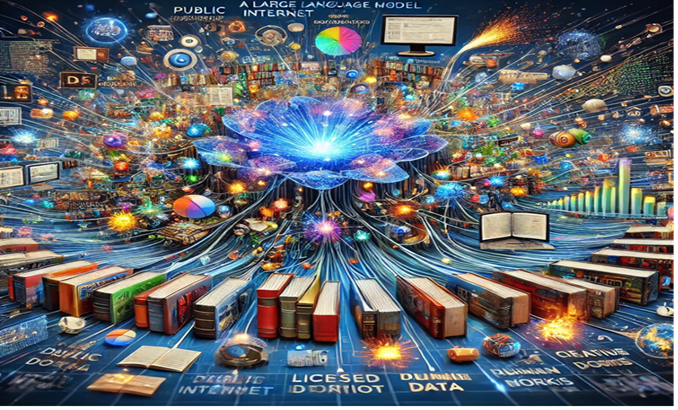
ChatGPT v4.0. 12 December 2024 1
Additionally, the following MSU Extension resources and guidelines help educators understand the process of properly using citations, creating references, and finding quality resources.
- Keeping it Legit: Properly Citing & Sourcing MSU Extension Materials
- Text Citations & References Checklist
- Author Checklist for MSU Extension Educational Materials
Links & Reference Pages
- Acceptable Use Policy for MSU Information Technology Resources: https://tech.msu.edu/about/guidelines-policies/aup/
- Approved Software List: https://upl.msu.edu/procurement/policies-procedures/it-review/approved-software/index.html
- Artificial Intelligence Resources: https://tech.msu.edu/ai/
- Author Checklist for MSU Extension Educational Materials: https://www.canr.msu.edu/resources/author-checklist-for-msu-extension-educational-materials
- Canva Help Resources: https://www.canva.com/help/
- ChatGPT FAQ for MSU Educators: https://iteach.msu.edu/iteachmsu/groups/it-educational-technology/stories/2709/challenge_id/372/level_id/1
- Copyright Registration Guidance: Works Containing Material Generated by Artificial Intelligence: https://comms.msu.edu/resources/use-of-ai
- Grammarly Support Resources: https://support.grammarly.com/hc/en-us
- Interim Guidance on Data Uses and Risks of Generative AI: https://tech.msu.edu/about/guidelines-policies/generative-ai/
- Interim Guidance on Generative Artificial Intelligence (AI) for Research and Creative Activities: https://research.msu.edu/generative-ai/guidance
- IT Readiness Form: https://tdx.msu.edu/TDClient/32/Portal/Requests/ServiceOfferingDet?ID=316
- Keeping It Legit: https://www.canr.msu.edu/resources/keeping-it-legit
- MediaSpace Help: https://help.mediaspace.msu.edu/
- Microsoft 365 Copilot Chat documentation: https://learn.microsoft.com/en-us/copilot/microsoft-copilot
- MSU Institutional Data Policy: https://tech.msu.edu/about/guidelines-policies/msu-institutional-data-policy/
- MSU Institutional Data Policy, Appendix 1: Confidential Data: https://tech.msu.edu/about/guidelines-policies/msu-institutional-data-policy/#AppendixI
- MSU University Marketing and Communications Generative AI Guidelines: https://comms.msu.edu/resources/use-of-ai
- Text Citations and References Checklist: https://www.canr.msu.edu/resources/text-citations-and-references-checklist
 Print
Print Email
Email